Central supervision for care homes: the Healthcall nurse station
Nurse station for Belgian care homes: all calls, fire and intrusion alarms, active carers and indicators on a single screen. NBN S 21-100-1:2025 integration, multi-station, exportable reports.
Healthcall central supervision is the unifying hub of your care home: it consolidates on a single screen all flows, nurse calls, fall detection, wandering prevention alerts, automated night rounds, carer emergency buttons, fire and intrusion alarms, access control, with their geolocation on the floor plan, ongoing carer handovers, real-time technical and operational indicators.
Unlike a simple nurse call dashboard, supervision is the cockpit from which a single carer can pilot the safety of an entire facility, especially at night when teams are reduced. Day and night profiles automatically switch the display and escalation rules. Multiple stations (director's office, floor nursing station, reception, mobile tablet) consult the same data with adapted access rights.
Each feature can be activated according to your context. You can start with the simple call dashboard, then progressively extend to alarm aggregation, multi-station and configurable reports.
Single hub view
Calls + falls + wandering + rounds + emergency button + fire + intrusion + access on a single screen with floor plan. No tool switching, one carer pilots the whole facility.
Day/night profile auto-switch
Day: multi-floor view, team load. Night: reinforced contrast, reduced brightness, prioritised escalations, ongoing round. Auto switch per schedule, manual fallback by authorised carer.
Fire panel and intrusion integration
Coupling via dry contact, IP, manufacturer protocol (Ajax, Vanderbilt, Risco, Honeywell, certified panels). Healthcall does not replace, it unifies visibility on a single screen.
Multi-station no surcharge
Director's office + floor nursing station + reception + mobile tablet: all consult same real-time data, adapted profiles. Licences per facility, not per screen.
Auto-calculated indicators
Median response time, < 60-sec handover rate, escalations, calls per room and resident, load per active carer. Cross-filtered PDF/CSV exports without generation cost.
Strong authentication + traced rights
Strong auth (ID + password + optional BLE badge), profile-based rights, traced consultations. Belgian hosting at a Belgian premium host, configurable retention, no non-EU cloud.
Visual coming soon
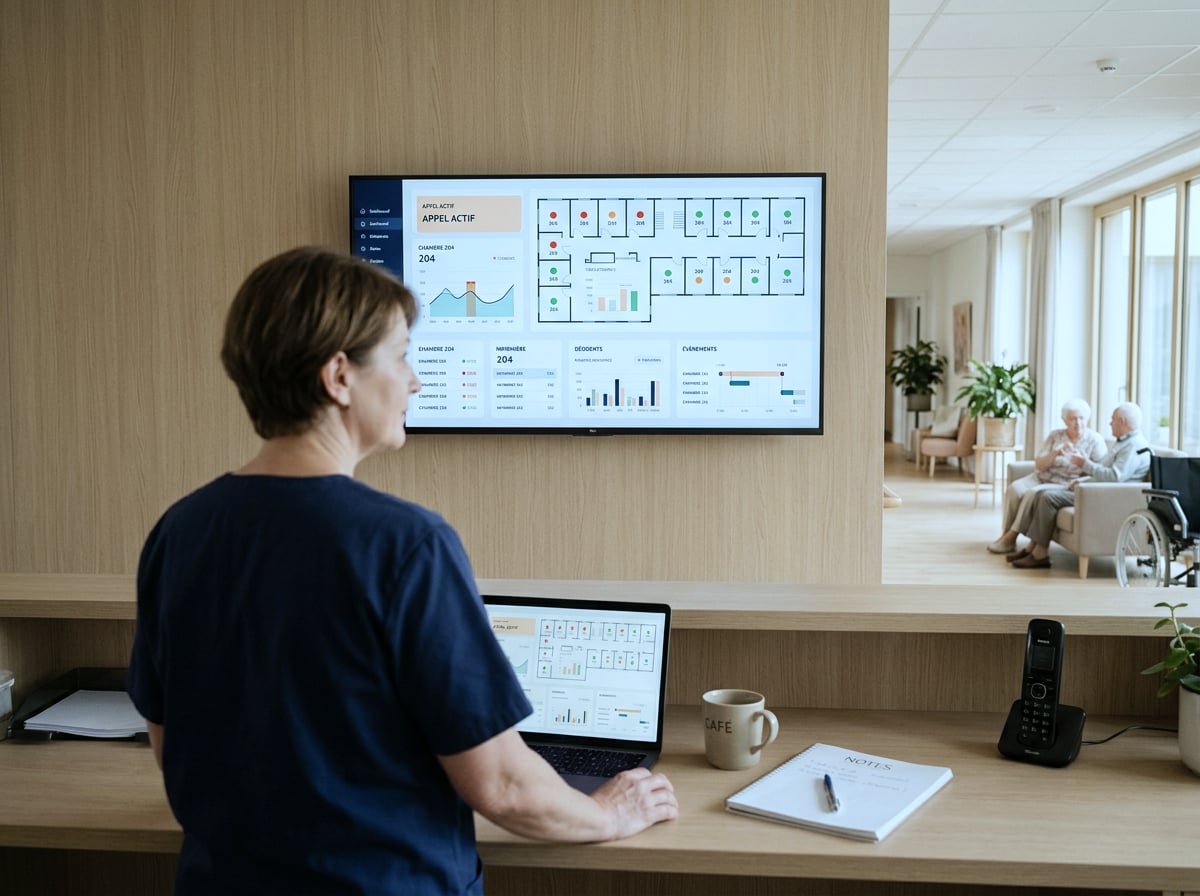
Care home night nursing station with wall screen displaying Healthcall central supervision
Wall supervision station, calls, alarms, active carers, floor plan. Illustrative visual (client shoot to be produced).
3 scenes from equipped care homes
Sole night carer, full visibility
Sandrine, the night carer, takes her shift at 10 pm. She opens the supervision station: 80 residents, 6 ongoing calls (none critical), 0 fire alarm, 0 intrusion alarm, 1 wandering prevention pending (resident clearly identified, no risk). She knows exactly the state of the facility before leaving on her round. The night profile reduces brightness, enlarges writing. At 2 am, an automatic call escalation: she is alerted on her smartphone or DECT and can take charge of the situation in 60 seconds.
Director's monthly review
End of month. The director generates the activity report in 3 clicks: 1,847 handled calls, median response time 42 seconds, 94% of calls handled in under 60 seconds, breakdown by floor and team, top 5 most-calling rooms. She exports the PDF for the board and the CSV for her management spreadsheet. To prepare an AViQ inspection scheduled 2 weeks later, she also extracts action logs and night rounds for the quarter. Generation is instant, no cost.
Group multi-site coordination
A five-home group consolidates several residences on a central station for shared night coordination. The duty manager sees in real time the state of the 5 sites, with strict data partitioning: she sees the alerts but not the resident health files of an individual care home. This configuration is set up specifically with the group, with adapted profile and authorisation matrix.
Central supervision is the ecosystem hub
All Healthcall modules feed central supervision. It is the single tool from which everything flows.
Nurse call
Pillar module. Real-time calls, escalations, action logging, automated night rounds, central supervision pilots all of it.
Fall detection + wandering
Critical alerts feed the same screen with precise BLE geolocation. Single tool for the night carer to coordinate everything.
Access control
Door states (open / closed / forced), failed attempts, badge revocations consultable in real time. Logs exportable for security audit.
Fire + intrusion alarms
Coupling to certified panels via dry contact or IP. Visibility unified, certified panels remain autonomous on their perimeter.
Does the nurse station work differently day and night?
Yes, and it is one of the module's strengths. You configure two display and routing profiles: day and night. The day profile favours multi-floor view, active carer tracking and per-team load indicators. The night profile switches to high-readability mode (reinforced contrast, enlarged writing, reduced brightness so as not to dazzle the duty carer), prioritises automatic escalations, ongoing night round and critical alarms. Switch happens automatically per your schedule, or manually by an authorised carer. The escalation rules themselves change between day and night, since the number of available carers differs.
What happens if the internet connection drops during the shift?
Central supervision continues to work locally. The screen is fed by the Healthcall server installed in your care home, not by a remote cloud. All calls, all handovers, all fire and intrusion alarms come up in real time via the local network (Ethernet, enterprise Wi-Fi, 868 MHz wireless, Bluetooth). The internet connection only serves to synchronise reports, updates and remote supervision with the private cluster at a Belgian premium host. If your fibre drops at 3 am, the night carer does not notice. Synchronisations resume automatically once reconnected, no data loss.
How long to train a team on central supervision?
About 60 minutes for the management and head nurse profile, 90 minutes for the night team that will pilot the tool autonomously. The interface is designed to be readable without prior training, ongoing calls visually dominate, critical alarms use standard colour codes (red/orange/green), main actions take two clicks. The follow-up session three weeks after deployment is particularly useful on this module: that's when management discovers the reports they were missing and refines escalation rules. New carers are trained internally by your head nurse, with the short video tutorials of the News module.
Does Healthcall integrate with existing fire and intrusion alarms?
Yes, in most configurations. We connect central supervision to your existing fire panel (via dry contacts, IP interface or manufacturer protocol) and to your intrusion / access control system (Ajax, Vanderbilt, Risco, Honeywell depending on what is installed). The goal is not to replace certified NBN S 21-100-1:2025 systems, they remain authorities on their perimeter, but to unify their visibility on the same screen as nurse calls. If your care home does not yet have a compliant fire panel, we coordinate the install with the certified installer of your choice.
Can multiple supervision stations be deployed in parallel?
Yes. The architecture is multi-station by design. A director's office, a nursing station on each floor, a night station at reception, a mobile tablet for the duty manager: all consult the same real-time data with adapted access profiles. Licences are sized per care home, not per displayed station, we do not bill each additional screen. For care home groups wishing to consolidate several residences on a central station (shared night coordination, regional management), we offer a multi-site configuration with strict per-facility data partitioning.
Which performance indicators are calculated automatically?
Basic indicators are available out of the box: median response time per floor, team and time slot, < 60-second handover rate, calls per room and per resident, day/night call volume, load per active carer, number of triggered escalations. Advanced indicators are configurable per your needs. PDF and CSV exports are generated in a few clicks with cross-filters on period, team and floor. No generation cost.
What's the difference with a simple nurse call dashboard?
The nurse call dashboard only shows nurse call data. Central supervision aggregates everything: nurse call, fall detection, wandering prevention, night round, carer emergency button, fire alarms, intrusion alarms, access control, server and network technical state. It is a hub view that lets a single carer at night supervise all safety dimensions without switching between tools. For a care home director, it is also a global control dashboard, not just a call log.
How are health data protected on the supervision station?
Access to the supervision station requires strong authentication (ID, password, optionally BLE badge for highly exposed stations like reception). Rights are configured per profile: a night carer does not see management financial reports, a director does not see detailed care notes. All consultations are traced (who consulted what, when). Data remains hosted in the Belgian private cluster at a Belgian premium host, never in a non-European public cloud.
What's the cost of the central supervision licence vs hardware?
The central supervision software licence is included in the global Healthcall contract (quote per activated modules). It is not billed per displayed station or per user. Hardware, wall screen, supervision PC, fire and intrusion central interface, is your responsibility per your standards (27-to-55-inch screen, fixed PC or tablet, touch options). We can supply the hardware or let you procure via your usual IT integrator. Installation and commissioning are included in the standard two-day install. The four annual software updates are included with no surcharge.
Can central supervision be used on an existing nursing station screen?
Yes. The interface runs in a modern browser (Chrome, Firefox, Edge, Safari) and adapts automatically to screen size, from 24-inch to 65-inch video wall. You can reuse an existing nursing station fixed PC provided it is up to date and dedicated to this function (a supervision PC is not suitable for general office work, for reliability and confidentiality reasons). For care homes wishing a dedicated wall screen, we recommend a professional 43- or 55-inch model, direct Ethernet, 24/7 broadcast without accidental shutdown button. The choice remains yours.