Healthcall for head nurses and nursing managers in care homes
24/7 care team management, reduction of false alerts, smartphone or DECT ergonomics, action traceability and legal protection. Healthcall as seen by head nurses and nursing managers in care homes.
In a care home, you occupy a hinge position, between management, teams, residents, families, coordinating physicians and inspection. Tools must lighten this load, not add to it. Healthcall brings you 3 concrete capabilities: a real-time 3-team 24/7 management (logins, load per floor, integrated time clock), a filtering of information noise (escalation rules, contextual buttons, BLE presence) that reduces false alerts, and a native traceability (timestamp to the minute, identity, location) that turns execution proof into a legal defence tool.
Since 2017, around twenty Belgian care homes use it daily, with 5 standard gestures on the smartphone or DECT (login, handover, action log, logout, emergency) that teams master in 15 to 30 minutes.
These five challenges come up in every conversation we have with cadres equipped since 2017. We do not claim to solve them all. We have identified precisely where a tool can really help.
Three 24/7 teams to pilot
Day, evening, night: three worlds, one responsibility. Handovers are high-risk. Last-minute replacements demand permanent reactivity. A spreadsheet no longer suffices to visualise who is on duty, where, with which profile.
Information fatigue
A poorly configured system generates a third of false alerts, accidental button, duplicate, repeated ring. This "alarm fatigue" is not lack of professionalism: it is a neurological response to a saturated environment.
Equipment ergonomics 10-12h in hand
Non-rugged smartphones, tablets unsuited to gloved hands, poorly chosen DECT. Error rates explode with wet gloves or dim corridor at night. Ergonomics is not cosmetic, it is occupational health and resident safety. Choose pro rugged smartphone OR DECT per context.
Return useful care time
15 to 25% of care home carer time is absorbed by administration, double entry, manual round validation, hastily written reports. Every minute recovered is given back to the resident. The tool must fade behind practice.
Document to protect the team
Family dispute, AViQ audit over 6 months, night reconstruction after incident: traceability quality makes the difference. Surprise AViQ inspections ≈ 65% of controls in 2024, extractable evidence is structural, not theoretical.
Five modules at the heart of your practice
The ecosystem has fourteen modules. Five concern you directly in your head nurse role. Each addresses a precise challenge among the five identified.
Nurse call
Action log in 2 sec, handover in one gesture, BLE presence without input, geolocated emergency button, multi-colour signal lamp, integrated time clock. Configurable escalation rules answer information fatigue: the right person, at the right time, never everyone. Module →
Carer phone
Shared professional Android smartphone per station (recommended) or DECT Snom, Grandstream, Doro (alternative). IP65, 8-18 h battery life depending on model, four main actions, hospital disinfectant compatible. One device per duty station, not per person. Module →
Scheduled care
Individualised plan, 4 canonical moments, guided checkboxes on smartphone or DECT, non-execution alert with escalation. Call action log = scheduled care validation. AViQ/Iriscare/Zorginspectie reports ready in minutes. Module →
Central supervision
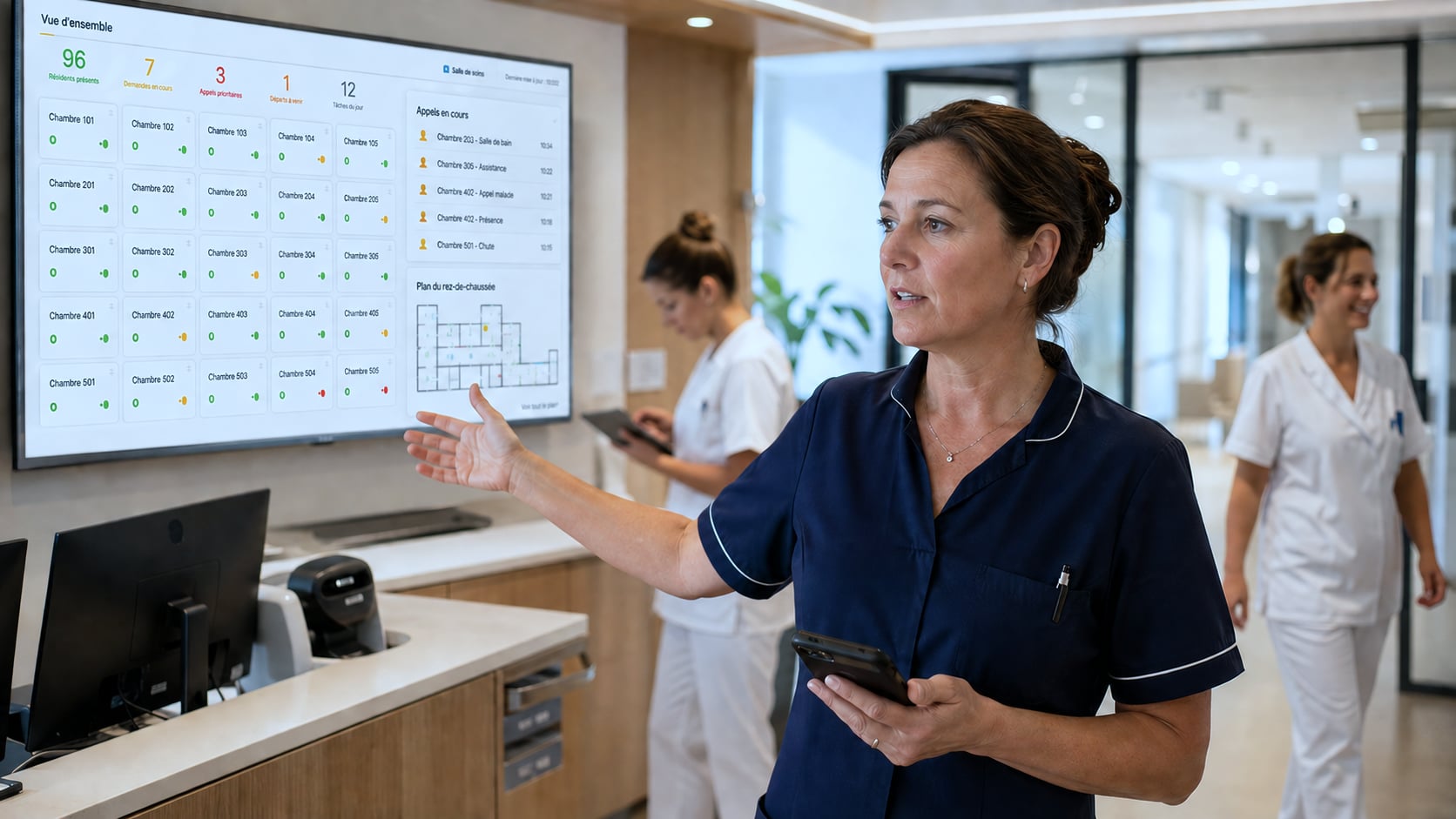
Wall screen or dedicated station: who is logged in, which floor, remaining battery. Active calls, escalations, ongoing care, technical alerts. Replaces whiteboards, post-its and "who does what" phone calls. Module →
Visual coming soon
Head nurse consulting the Healthcall dashboard on a wall screen in a care home nursing office, care team in background
Head nurse, supervision dashboard in the nursing office, real-time team view. Illustrative visual (client shoot to be produced).
Field feedback, independent 80-bed care home (Wallonia)
Anonymised profile: head nurse of an 80-bed independent care home in Wallonia, 7 years in the facility, daily user of the supervision dashboard.
"In the old system, the night team reported almost weekly a parasitic ring or a button triggering itself. Colleagues ended up turning down the volume or instinctively ignoring certain tones. Since the Healthcall configuration (90-second escalation rules, contextual buttons per room, beacon-validated presence), false alerts have been divided by three in a few months. What changed for me is the night team's serenity. They know that when it rings, they have to go."
Head nurse, 80-bed independent care home, Wallonia
Detailed metrics to document after written client authorisation: false alerts/night before/after, average handover time, administrative time per shift. See the 3 full client cases →.
Frequently asked questions
How long to train a new team on the system?
Fifteen to thirty minutes per carer is enough for the four structuring gestures: shift-start login, call handover, action logging, logout. The rest is discovered through use, supported by an experienced colleague on the first shift. For large hiring waves, typically September in care homes, we offer remote refresher sessions. The News/Messaging module hosts short video tutorials consultable directly on the smartphone or DECT, avoiding the need to mobilise a trainer for each rotation, the smartphone touch screen makes video viewing particularly fluid. For the head nurse, half a day allows mastering care plan configuration, report reading and the supervision dashboard.
Can carers use personal smartphones (BYOD)?
We discourage it. Three structural reasons. GDPR first: your residents' health data must not transit on an unsupervised, non-enterprise-encrypted, potentially family-shared device. Reliability next: competing apps, ageing batteries, uncontrolled OS updates degrade responsiveness on critical calls. Ergonomics last: a personal phone has no dedicated emergency key, can fall into silent mode, and its screen can be locked at the wrong moment. The Healthcall standard practice is **a shared professional smartphone per duty station** (managed via MDM, encrypted, supervised), or a DECT as proven alternative. One device per duty carer, not per physical person. The rule: SHARED smartphone per station, not PERSONAL smartphone.
What happens if a carer terminal (smartphone or DECT) breaks during a shift?
Faulty phones are deactivable remotely from central supervision in a few clicks (selective MDM wipe additionally on smartphone side). Our service commitment covers replacement within 48 working hours, or immediate device loan if the care staff is impacted. We systematically recommend a buffer stock of one to two terminals per care home: marginal cost is contained and service continuity is guaranteed. For a 60-to-80-bed care home typically having 6 to 10 pro smartphones or DECT in service, an extra ready-to-use device covers most contingencies.
How does Healthcall legally protect our teams in case of dispute?
Each Healthcall-validated action carries three verifiable pieces of information: the ID of the carer logged on the terminal, timestamp to the minute, and location confirmed by the Bluetooth beacon read from the room. In case of family or inspection dispute, management extracts the resident's full history over the period concerned, with digitally signed PDF export, exploitable in mediation or proceedings. This evidence bundle protects the facility, carers individually, and fundamentally the resident. Traceability becomes a defence tool as much as a quality tool.
How does Healthcall manage delegation of a nursing act to a care assistant?
Configuration of acts respects the framework of the royal decree of 12 January 2006 on delegable nursing acts and the coordinated law of 10 May 2015. For each act in the care plan, you specify whether it falls to a nurse, to a care assistant, or to a written nominative delegation. When a nurse delegates an act to an identified care assistant for a specific resident, the delegation is traced, date, delegator, delegatee, act, resident concerned. Supervision and legal liability remain with the delegating nurse, with documented traceability protecting both parties.
The cognitive load of night teams is high. Does Healthcall really help?
Yes, by filtering noise and securing rounds. False alerts, about a third of rings in poorly configured systems, are reduced by the combination of smart escalation rules, contextual buttons per room and Bluetooth beacon presence confirmation. For night rounds, the carer's passage in each room is automatically validated by beacon reading, no more paper checklist or manual signing. If a planned care is not ticked within the expected delay, escalation alerts the head nurse or central supervision. The night station keeps hand without being overwhelmed.
Does Healthcall offer a protocol for pandemic or health crisis situations?
Yes. The pandemic configurations we have deployed since 2020 rely on three pillars: sanitary isolation of a floor or wing with modified call routing rules (a dedicated COVID-zone carer, no crossing with non-COVID wing), care plan intensification (blood pressure, oximetry, increased respiratory monitoring for at-risk residents), and real-time vital indicator reporting to the coordinating physician via internal messaging. Adapted reports document compliance with current sanitary protocols, useful in reinforced inspections. Reversibility is immediate: return to standard configuration in a few clicks once the crisis is over.